DomuTax Client Portal: Track Your Property Tax Protest Status
Monitor your property tax protest progress in the DomuTax client portal. See status updates, hearing dates, and results all in one place.

Transparency Matters: Check Your Protest Status Anytime
One of the benefits of working with a professional property tax service is being able to step back and let experts handle the process. But that doesn't mean you should be in the dark about what's happening.
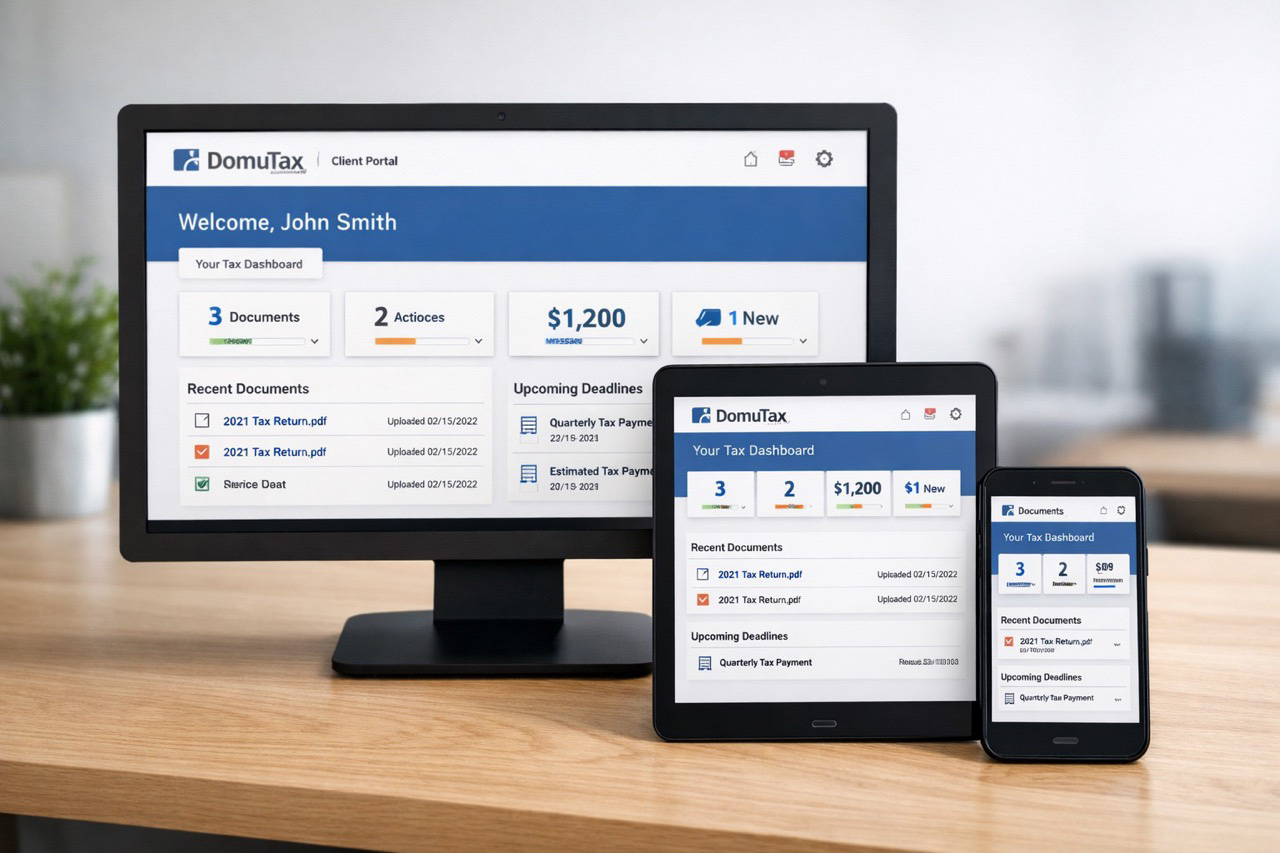
DomuTax provides clients with a client portal — an online dashboard where you can check the status of your protest, see important dates, and access documents. It's available 24/7, so you can get updates whenever it's convenient for you.
We do the work, but you can always see what's happening. That's how it should be.
Accessing the Client Portal
After you sign up, you'll get an email with instructions to access your portal. Create a password, and you're in. The portal works on any device — computer, phone, tablet — with no app needed. And your data is secure: only you can access your account.
Most clients find that they check the portal a few times during protest season to see updates, and then receive a notification when results are in. You don't need to check constantly — we'll also notify you of major updates — but the option is always there.
What You Can See in the Portal
Your DomuTax client portal gives you visibility into your protest at every stage. Here's what you can typically see:
Protest Status
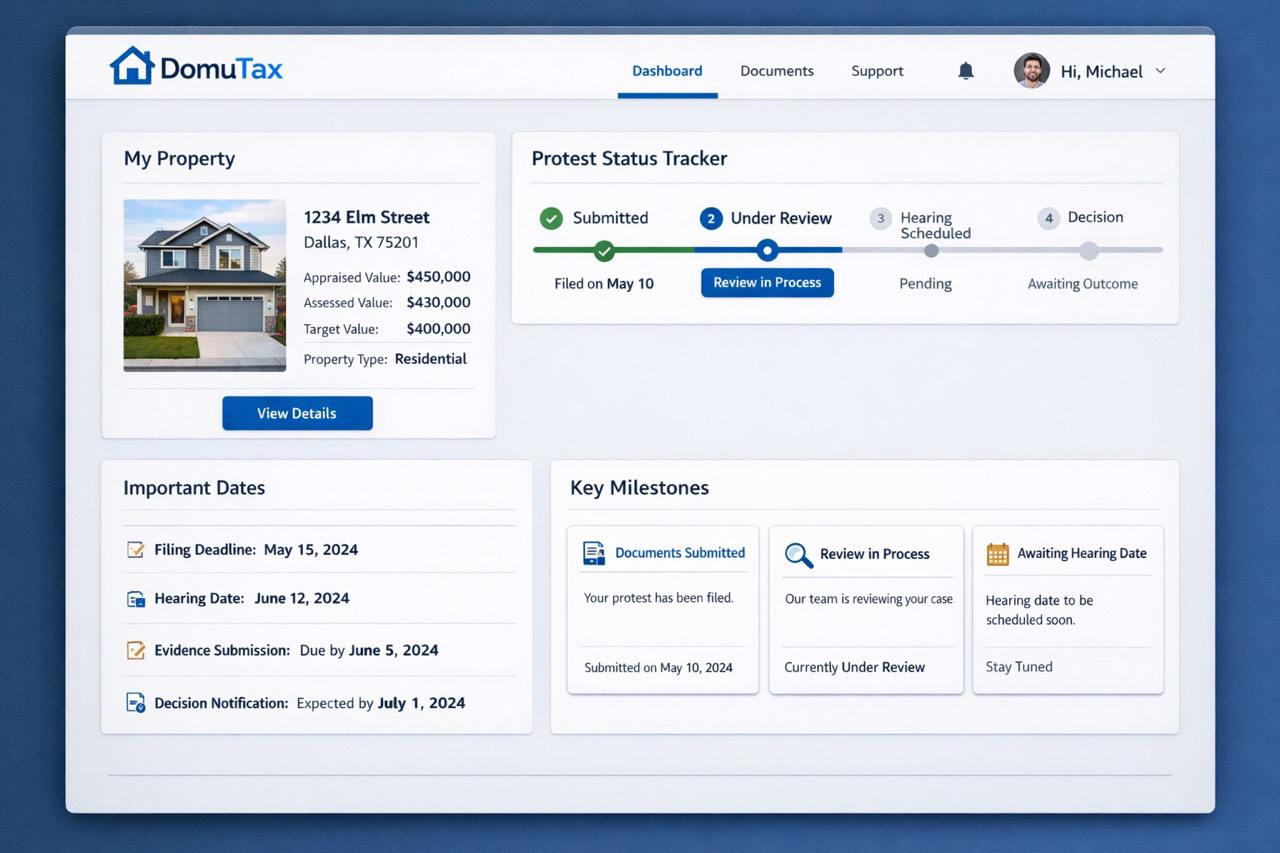
Track where your protest is in the process:
- Enrolled — You've signed up and DomuTax has your property
- Filed — Your protest has been submitted to the appraisal district
- Scheduled — A hearing is being arranged (specific date added once confirmed)
- In Progress — Your hearing is scheduled for this week or we're awaiting the outcome
- Resolved — Your protest has concluded with a final outcome
Your Property Details, Dates, and Documents
The portal shows your property information (address, property ID, assessed values), key dates (filing date, hearing date when scheduled), and documents (enrollment confirmation, results notification, invoice). Everything in one place — no need to dig through emails.
Results
Once your protest concludes, see your outcome:
- Final assessed value
- Value reduction achieved
- Calculated savings
- Fee amount
The portal is there when you want it — think of it as a window into your case. And when you see "Resolved" status with your savings, that's a satisfying moment.
Status Updates and Notifications
While the portal is always available, you don't need to check it constantly. DomuTax also sends notifications to keep you informed:
Email Notifications
You'll receive emails at key milestones:
- Confirmation when your protest is filed
- Notification when a hearing is scheduled
- Update when your protest is resolved
- Invoice when results are in (if successful)
Real-Time Portal Updates
The portal reflects current status, so when something changes, you'll see it next time you log in.
Questions? Contact Us
If you ever have questions the portal doesn't answer, DomuTax customer service is available to help. Contact information is available in the portal and on your notifications.
The Right Level of Involvement
Different clients want different levels of involvement. Some check the portal regularly throughout protest season. Others sign up and wait for the results email. Either approach is fine — we've got it handled either way.
You're always welcome to check in, but you never have to. That's the point of full-service representation.
Common Portal Questions
"I forgot my password. How do I log in?"
Use the "Forgot Password" link on the login page to reset your password. You'll receive an email with instructions.
"How do I update my email or phone number?"
Contact DomuTax customer service to update your contact information. We want to make sure you receive all notifications.
"My status hasn't changed in a while. Is something wrong?"
Protest timelines vary by county and depend on hearing schedules. It's normal for status to remain the same for weeks at a time, especially while waiting for hearing dates. If your protest is filed, we're working on it even if the status looks static.
"The portal shows 'Scheduled' but I don't see a date."
Hearing dates are added to the portal once confirmed by the appraisal district. If status shows scheduled but no date appears yet, the district may still be finalizing times.
"How do I get help with something not in the portal?"
Contact DomuTax customer service. Our team can answer questions about your specific case, explain what's happening, or address any concerns.
Learn how billing works after your protest results come in.
Stay Informed While We Handle the Work
The DomuTax client portal keeps you informed while we handle the work. The portal gives you 24/7 access to your protest status, and email notifications keep you informed at key milestones. You can be as hands-on or hands-off as you prefer — the choice is yours.
Already a DomuTax client? Log in to your portal to check your protest status.